







The modern internet is a place for ideas, creativity and business. But along with these opportunities come risks. Every second automated bots scan websites looking for vulnerabilities. They try to guess passwords, test input forms, inject malicious code or gain access to sensitive data. That is why website security has become an essential part of every web project.
Most website owners never notice this activity, but it happens constantly. In many systems security must be configured separately by installing additional modules, adjusting server settings or following complex technical instructions.
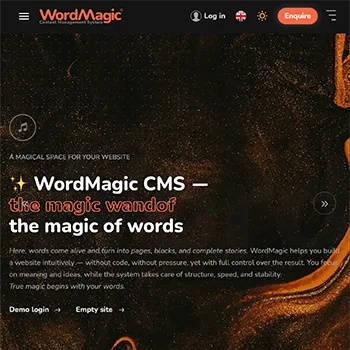
WordMagic CMS takes a different approach. Security is not an additional feature. Security in WordMagic CMS is built directly into the architecture of the system.
Immediately after installation, the website receives multi-layer protection against common web threats. This allows you to focus on what really matters — creating content and growing your project.
Website protection that works from the start

After installing WordMagic CMS, your website already includes essential security mechanisms:
- SQL injection protection
- XSS attack protection
- CSRF protection for forms
- user data isolation (IDOR protection)
- login attempt limiting (brute force protection)
- two-factor authentication
- secure file uploads
- cryptographic password hashing
- browser security HTTP headers
- system access control
Most of these mechanisms work automatically and require no complex configuration.
Common threats to modern websites
Most attacks on the internet are performed not by people but by automated programs that continuously scan websites for known vulnerabilities. WordMagic CMS takes these threats into account at the architectural level.
SQL Injection — database query manipulation
SQL injection is one of the most well-known attacks on web applications. An attacker attempts to insert special code into an input field in order to force the database to execute an unintended command. Vulnerable systems may expose sensitive information or allow access to administrative functions.
WordMagic uses parameterised database queries through its ORM layer. User input is never executed as SQL commands, which prevents such attacks.
XSS — Cross-Site Scripting
This attack targets website visitors. An attacker attempts to inject JavaScript code into text fields or other page content. When the page is opened in another user’s browser, the malicious script may execute. WordMagic automatically escapes user-generated content before displaying it in the browser, preventing dangerous scripts from running.
CSRF — Cross-Site Request Forgery
A CSRF attack attempts to trick an authenticated user into performing an action on a website without their knowledge. For example, a specially crafted link could attempt to submit a request to change settings or delete data. In WordMagic every form and sensitive system action includes a unique CSRF token that verifies the authenticity of the request.
IDOR — Unauthorized data access
In some systems it is enough to change the record ID in the URL to access someone else's data. WordMagic CMS prevents this scenario. The system automatically isolates user data through global query constraints so each user can only access data that belongs to them.
Brute Force — password guessing attacks
Automated bots constantly try to guess passwords for website administration panels. WordMagic limits login attempts and supports two-factor authentication for administrative access.
Unsafe file uploads
Many CMS attacks begin with attempts to upload malicious files to the server. Such a file may appear to be a normal image but contain executable code.
WordMagic validates file types and stores uploaded files in protected directories where script execution is not allowed.
Server overload (DoS / DDoS)
Sometimes attackers attempt to overload a website with a large number of requests in order to slow it down or stop it completely. WordMagic uses request-limiting and activity control mechanisms that help reduce the impact of automated attacks.
Secure authentication and access control
WordMagic CMS uses a role-based access model. Different users can have different permissions:
- administrators manage the system
- authors work with content and have access only to their own materials
Every action in the system is verified before execution, preventing access control violations.
Reliable password protection
User passwords are never stored in plain text. The system uses modern cryptographic hashing algorithms that make it impossible to recover the original password even if a database leak occurs.
Secure system configuration
WordMagic CMS follows modern secure deployment practices:
- secret keys are stored in environment configuration
- debug mode is disabled in production environments
- the system is designed to run with secure HTTPS connections
This helps prevent accidental exposure of sensitive configuration data.
Browser-level protection
Modern browsers include their own security mechanisms. WordMagic CMS uses special HTTP security headers including:
- Content Security Policy
- X-Frame-Options
- X-Content-Type-Options
These headers help prevent clickjacking and script injection attacks.
Security that works quietly in the background
Most website owners should not have to become cybersecurity experts. Security should simply work. WordMagic CMS is designed so that key protection mechanisms are active immediately after installation. While you create pages, write texts and develop your website, the system quietly works in the background protecting your project from common threats.
Questions and answers about WordMagic CMS security:
- Is WordMagic CMS secure for building a website?
WordMagic CMS includes built-in protection against common web attacks such as SQL injection, XSS, CSRF, brute force and other threats. Most of these mechanisms work automatically immediately after installation.
- Do I need to configure additional website security?
The core protection mechanisms are already active by default. In most cases users can focus on creating content without performing complex technical configuration.
- Does WordMagic CMS protect against password guessing attacks?
Yes. The system limits login attempts and supports two-factor authentication, significantly reducing the risk of automated password guessing.
- Is it safe to upload files to the website?
WordMagic CMS validates file types and stores uploaded files in protected directories where script execution is not possible. This helps prevent malicious file uploads.